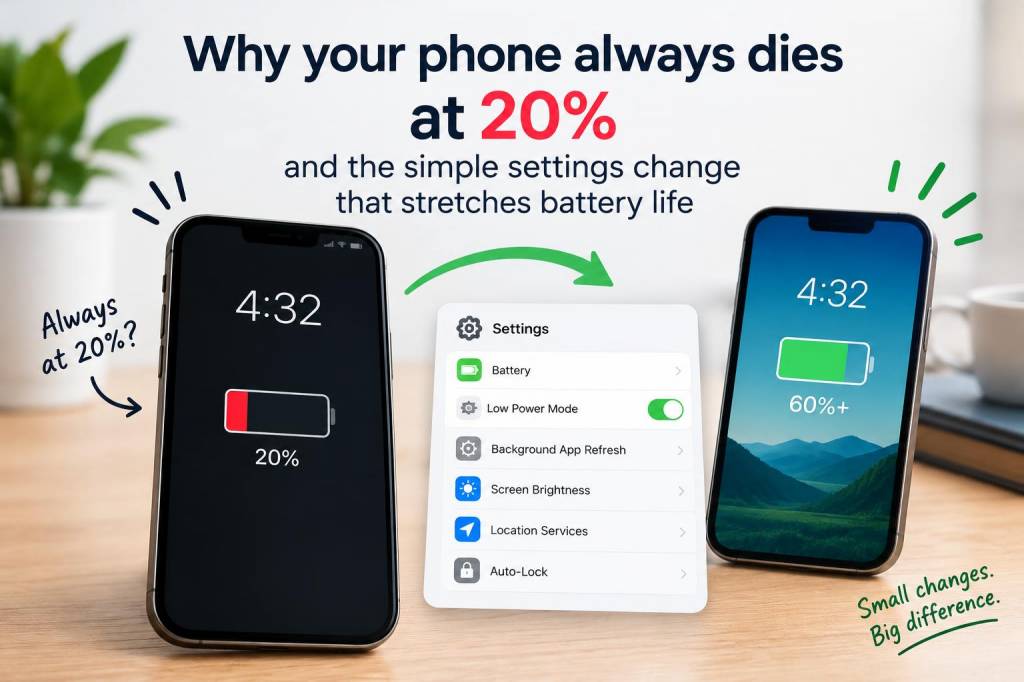
I used to think my phone was just getting dramatic. It would cruise through most of the day, then suddenly plunge from 21 percent to dead in what felt like a blink. A few times, I even watched it sit at 20 percent for a while, then shut off without warning while I was reading a message or checking maps. If that sounds familiar, you are not imagining things. A battery can look like it has plenty left while its internal chemistry is already telling a different story.
What changed everything for me was a single settings adjustment that made battery life feel far more predictable: lowering screen brightness and turning on adaptive brightness. It sounds almost too simple, but for me it was a real shift. The screen is usually one of the biggest power drains on a phone, and when brightness stays higher than needed, your battery can drop faster than you expect. Once I let my phone manage brightness more intelligently, I noticed fewer sudden drops, cooler daytime use, and more reliable stamina through evening hours.
Why 20 percent can feel like a cliff
A phone battery does not always fall in a perfectly smooth line. Many phones estimate remaining charge based on voltage, temperature, age, recent usage, and calibration data. That means a battery may appear healthy at 30 percent, then lose charge more quickly near the lower range. I have seen this happen especially on phones that are a few years old, or on devices that have been charged in messy patterns for months.
Another reason the 20 percent zone feels so fragile is that phones often change behavior at lower charge levels. Performance may slow, background tasks may get restricted, and the device may be working harder to keep everything stable. If brightness is high, 5G is active, apps are refreshing in the background, and location services are on, a small remaining charge can disappear fast.
So when someone says, “My phone always dies at 20 percent,” I usually think two things. First, there may be normal battery aging involved. Second, there is a very good chance a few settings are making the problem look worse than it needs to be.
The simple settings change I noticed immediately
I started with display settings because I knew my screen was brighter than necessary for most of my day. I often had brightness near maximum indoors, mostly out of habit. Once I switched on adaptive brightness and allowed the phone to adjust itself, I stopped forcing the display to burn through power for no reason.
Here is what I changed in a very practical way:
That combination made a bigger difference than I expected. I was not chasing some magical hidden battery trick. I was simply stopping my screen from acting like a floodlight when a lamp would do.
Why brightness matters so much
From my experience, people underestimate just how much power a display can consume. A phone can be doing plenty of other things in the background, but if the screen is bright all day, it adds up quickly. This becomes even more noticeable outdoors, where phones automatically boost brightness to stay readable in sunlight.
I also learned that brightness affects more than battery percentage. Higher brightness can make the phone feel warmer, and heat is not great for long-term battery health. When a battery is exposed to heat repeatedly, its capacity can degrade faster over time. That means a phone that already struggles near 20 percent can become even less reliable after months of unnecessary strain.
For me, the useful insight was not “use your phone less.” It was “make your phone waste less energy while you are still using it normally.” That is a much more realistic change, and it sticks.
Other settings I check when battery drops too quickly
Once I solved the brightness habit, I became more curious about the other settings that quietly eat battery. I do not change everything at once anymore, because that gets annoying and confusing. Instead, I look for the settings that create constant background work.
These are the ones I check first:
I do not disable everything just to chase a few extra minutes. I only trim the settings that are clearly working against me. That keeps the phone useful without turning it into a battery hostage situation.
Battery health matters more than battery percentage
One thing I wish I had understood earlier is that battery percentage and battery health are not the same thing. A phone can show 100 percent after charging, yet still have a weakened battery that cannot hold power as long as it once did. If your device is older, the 20 percent shutdown issue may be tied to age rather than settings alone.
On iPhone, I check Battery Health in settings. On Android, battery diagnostics vary by brand, but many phones offer some form of battery health or usage breakdown. If the battery capacity has declined a lot, settings changes help, but they will not perform miracles. At that point, I treat the phone a little differently: I avoid letting it drain to zero often, I keep it out of heat, and I consider a battery replacement if shutdowns become frequent.
I also learned that deep drains can make a tired battery look worse. If a phone is repeatedly pushed close to empty, it can become more difficult for the software to estimate remaining charge accurately. That is part of why a device may seem stuck at 20 percent, then collapse all at once.
My usual battery routine now
My routine is not complicated, and that is exactly why I keep doing it. I do not want a battery strategy that feels like homework. I want a few habits that quietly protect the phone without making me think about them all day.
| Habit | What I do | Why it helps |
|---|---|---|
| Brightness | Use adaptive brightness and keep manual level lower indoors | Reduces display drain |
| Charging | Charge before very low levels when possible | Helps preserve battery health |
| Background activity | Limit apps that refresh constantly | Prevents hidden power use |
| Heat | Avoid long charging sessions in hot spaces | Protects battery lifespan |
| Screen timeout | Set a shorter auto-lock time | Stops wasted screen time |
That table is basically my daily battery sanity check. Nothing fancy, just fewer unnecessary drains.
What I tell people who think their phone is broken
If your phone always dies around 20 percent, I would not jump straight to panic. I would start by looking at the screen. If brightness is high most of the time, that alone can create a much steeper battery drop than you expect. Then I would look at battery health, app behavior, and heat exposure.
I would also ask a simple question: Did this start recently, or has it been happening for a long time? If it changed suddenly, a software update, a rogue app, or a battery calibration issue may be involved. If it has been gradual, battery aging is more likely. Either way, a few settings changes can still buy you extra time and make the phone feel less unpredictable.
My favorite part of this fix is that it did not require a new charger, a new phone, or a complicated cleaning routine. It started with a small adjustment I could make in under a minute. That is usually where the most useful battery changes live: not in dramatic hacks, but in tiny habits that stop power from leaking away all day long.
And once I made that one change, I stopped watching my phone like it was about to betray me at any moment.