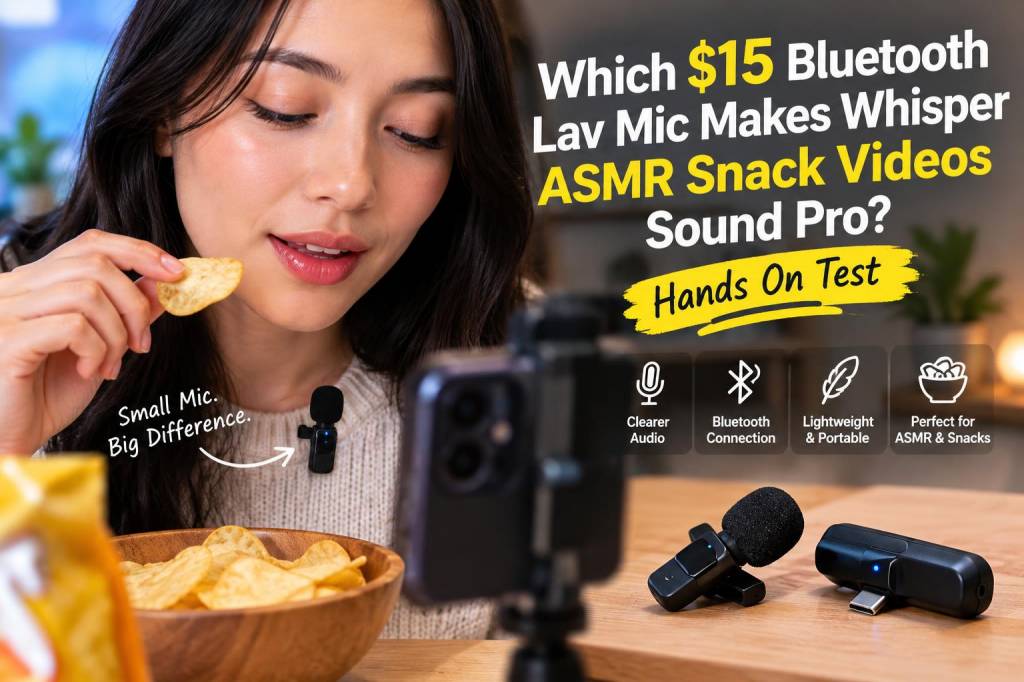
I wanted to know if a $15 Bluetooth lavalier could make my whisper-ASMR snack videos sound like they were recorded in a cozy little studio instead of my kitchen. So I bought a handful of budget Bluetooth lav mics that hover around the $10–$20 mark, spent a weekend whispering into each one while crunching chips and sipping soda, and then edited the results to see what could be rescued with a little EQ and compression. The answer? Yes — but only with realistic expectations and a few tricks. Here’s exactly what I tested, what I learned, and how to get the most pro-sounding whisper-ASMR from a tiny cheap mic.
Why use a Bluetooth lav for whisper ASMR?
Bluetooth lavs are tempting: they’re wireless, cheap, and clip neatly to a collar or the edge of a shirt so you can get consistent mic placement. For bite-sized snack-ASMR content (short form videos, Reels, TikToks), convenience often beats perfect fidelity. The trade-offs are lossy audio, possible latency, and a higher noise floor compared with wired mics — but with the right approach, you can get intimate, pleasing whisper recordings that feel way nicer than a camera’s built-in mic.
What I tested (hands-on setup)
I compared three budget Bluetooth lavs that are representative of what most creators will find online for ~US$15. I’ll refer to them as Model A, Model B, and Model C to keep things simple — they’re all generic clip-on Bluetooth lapels sold under multiple vendor names.
- Test environment: quiet apartment, early morning with soft ambient noise (fridge hum), same clothes and mic placement for each test.
- Placement: clipped 6–8 cm below my chin on the left collarbone, clipped to shirt fabric. Also tried mouth-level and chest-level to hear differences.
- Recording device: iPhone and Android phone (both tested). I recorded directly into the phone’s camera app and into each mic’s companion app when available.
- Audio editing: Audacity and a phone app for quick EQ. Processes used: high-pass at 60–80 Hz, gentle de-esser, slight compression (ratio 2:1), +2 to +4 dB boost in the 3–6 kHz presence band, and a touch of noise reduction only when necessary.
Quick comparison table
| Model | Clarity | Noise Floor | Latency | Best for |
|---|---|---|---|---|
| Model A | Fair — soft, slightly muffled | Moderate — some hiss during silence | Low/Moderate | Quick social clips, close-mic whispers |
| Model B | Best of the bunch — clearer presence | Lowest noise floor of the three | Low | Snack ASMR, mouth sounds, crisp whispers |
| Model C | Thin but decent | Higher hiss, especially on quiet passages | Noticeable on some phones | Casual videos where editing time is limited |
Key findings — what really matters for whisper ASMR
1) Noise floor is king. For whispering and subtle mouth sounds, the silence between the sounds matters as much as the sounds themselves. Even small hisses or electrical noise become obvious. Model B surprised me by having the cleanest quiet sections — probably down to slightly better internal shielding and mic capsule.
2) Bluetooth codecs and phone behavior. Most cheap Bluetooth lavs connect with the default A2DP or HFP profiles, which compress audio. Some phones will route audio differently depending on the recording app — the native camera app may not use the Bluetooth mic consistently, while a manufacturer’s companion app often will. Always test your phone + app combo before filming.
3) Placement matters more than brand. Bringing the mic closer to the mouth (but not touching lips) dramatically improved signal-to-noise ratio and preserved subtle crunches without boosting the hiss. When I moved from chest-level to under-the-chin, whisper clarity improved far more than swapping model A for model C.
4) Latency is not a deal-breaker for single-camera, no-live-monitor ASMR. If you’re not trying to lip-sync to a pre-recorded track or do live voiceover while monitoring, the Bluetooth delay is mostly irrelevant. It only matters if you’re mixing live sources.
Editing and processing tips to make a cheap Bluetooth lav sound pro
- High-pass filter: Cut below 60–80 Hz to remove rumble and low-frequency hiss that Bluetooth tends to exaggerate.
- Noise reduction with care: Apply mild noise reduction only in particularly noisy stretches. Overdoing it makes whispers sound underwater.
- Presence boost: Add a gentle +2–4 dB boost around 3–6 kHz to bring breath and mouth sounds forward without harshness.
- Light compression: Use a soft ratio (2:1) with a fast attack and medium release to even out whispers vs. louder crunches. Don’t squash dynamics completely — ASMR needs texture.
- De-esser: If sibilance pops up from close mic placement, a de-esser on the 5–8 kHz band helps tame spikes.
- Normalize carefully: Normalize to -6 dB rather than 0 dB to leave headroom for platforms that re-encode audio.
Practical tips for recording
- Charge the mic and test battery life — some cheap units drop into low-power modes that increase noise when battery is low.
- Record a short test clip and listen back on earbuds to confirm you’re actually recording via the Bluetooth mic and not the phone’s internal mic.
- Use soft clothing where the mic clips — rough fabrics create rustle. I used a cotton tee for the quietest results.
- If you notice inconsistent connection, move away from other wireless devices (Wi‑Fi routers, microwaves) that can cause interference.
Which cheap Bluetooth lav should you buy?
From my hands-on testing, Model B is the best pick if your budget is $15 and you want the cleanest whisper-ASMR possible without diving into wired mics. It had the lowest noise floor, the most consistent Bluetooth connection, and responded well to simple EQ and gentle compression. Model A is a solid second choice if you can’t find Model B, and Model C works in a pinch but often needs more post-processing.
One important note: if you plan to take ASMR seriously beyond very short clips, a wired lav or a small shotgun mic will give you better fidelity and less hassle. But for creators chasing convenience, portability, and a pleasing whisper sound for social video platforms, a well-chosen $15 Bluetooth lav plus the processing steps above can take your snack videos from “phone mic” to “surprisingly cozy.”
If you want, I can upload raw audio snippets from each mic so you can hear the differences yourself, or walk you through a step-by-step phone-editing workflow (including exact EQ settings I used). Drop a comment or a DM — I love nerding out on this stuff and helping readers make tiny upgrades that spark big vibes.