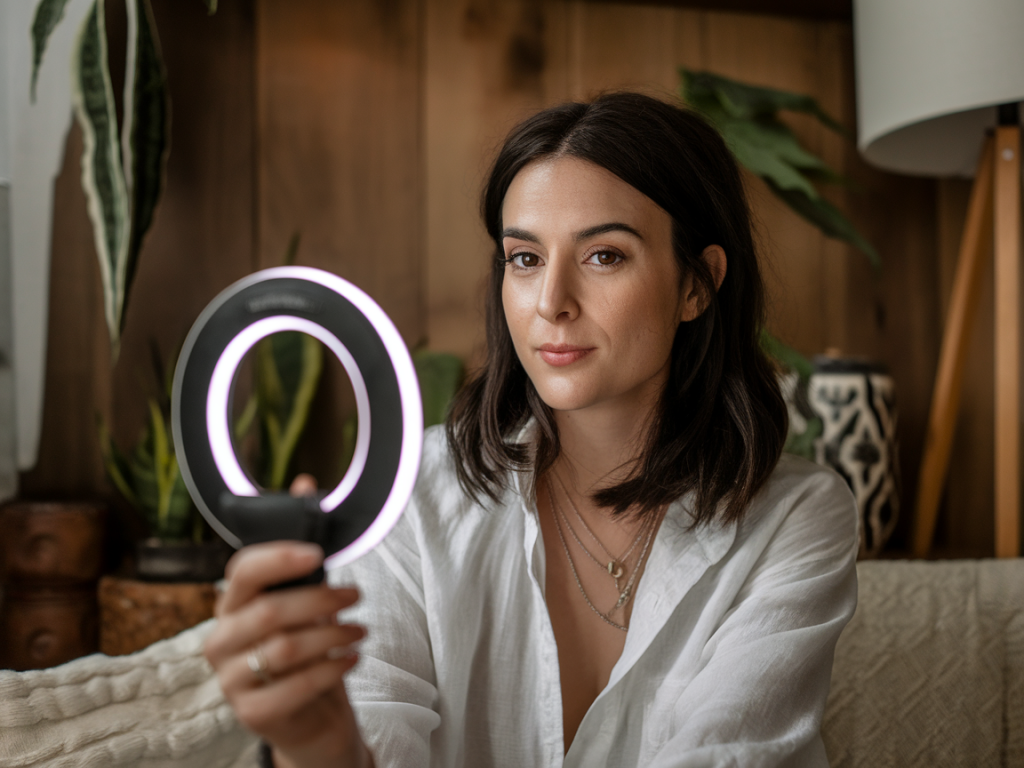
I used to believe you needed a whole studio rig to make cozy, flattering home videos. Then I clipped a $20 ring light to my phone and my content took a quantum leap in personality. The result was unexpected: warmer skin tones, fewer shadows, and a vibe that felt intimate—like a chat with a friend rather than a broadcast from a production set. If you make quick social videos, vlogs, product demos, or TikToks, a clip-on ring light is one of the cheapest, easiest upgrades you can make.
Why a clip-on ring light outperforms bulky studio gear for home videos
Here are the practical reasons I prefer the clip-on over studio lights for everyday content:
That said, I’m not arguing studio gear is useless. If you’re shooting cinematic shorts or multi-camera interviews, professional lights still win. But for the kind of cozy, authentic videos people love on Wiralclub and similar platforms, clip-on ring lights are often the smarter choice.
Which clip-on light to buy (quick checklist)
I’ve tried a handful. Brands like Ulanzi, AIXPI, and generic Amazon models all make solid options. Here’s what I look for:
Settings that actually work (phone + clip-on ring light)
Below is the go-to setup I use when shooting with my phone (iPhone 13 Pro / Pixel 6 level cameras). Adjust based on your device and environment, but this gets you a reliable starting point.
| Device | Clip-on light | Phone camera settings |
| iPhone / Android | Warm mode, 50% brightness | 1080p @ 30fps, AE/AF locked, exposure -0.3 |
| Low ambient light | Neutral mode, 70% brightness | 1080p @ 60fps (for smoother motion), increase exposure slightly |
| Daylight (window light) | Warm mode, 20–30% brightness | 1080p @ 30fps, HDR on, AE/AF locked |
I always lock auto exposure and focus (AE/AF) by long-pressing the screen where my face is. That prevents the camera from hunting for exposure mid-shot when I move slightly. If your phone has a Pro mode, manually set ISO as low as possible while keeping shutter speed around 1/60 for natural motion.
How I place the light for different looks
Placement changes mood more than you’d expect. Here are the positions I use and why:
Shot list for cozy home videos (copyable)
Whenever I batch-shoot a set of short, shareable videos, I follow this shot list. It covers quick cuts, variety, and keeps the final edit lively.
Sound and background—don’t ignore them
People will forgive mediocre lighting more easily than bad audio. I pair the clip-on light with a cheap lavalier mic (like the Boya BY-M1) or use a shotgun on a mini-stand when I can. Also keep your background simple: a tidy shelf, a plant, or a textured blanket creates a cozy vibe without distracting viewers.
Quick troubleshooting tips
Using a clip-on ring light shifted my content from “home video” to “intentional little moment.” It’s affordable, forgiving, and fast—perfect for the kind of upbeat, snackable content we love at Wiralclub. Try the settings and shot list above and adapt them to your own style. You’ll be surprised how much personality a $20 clip can add to your videos.