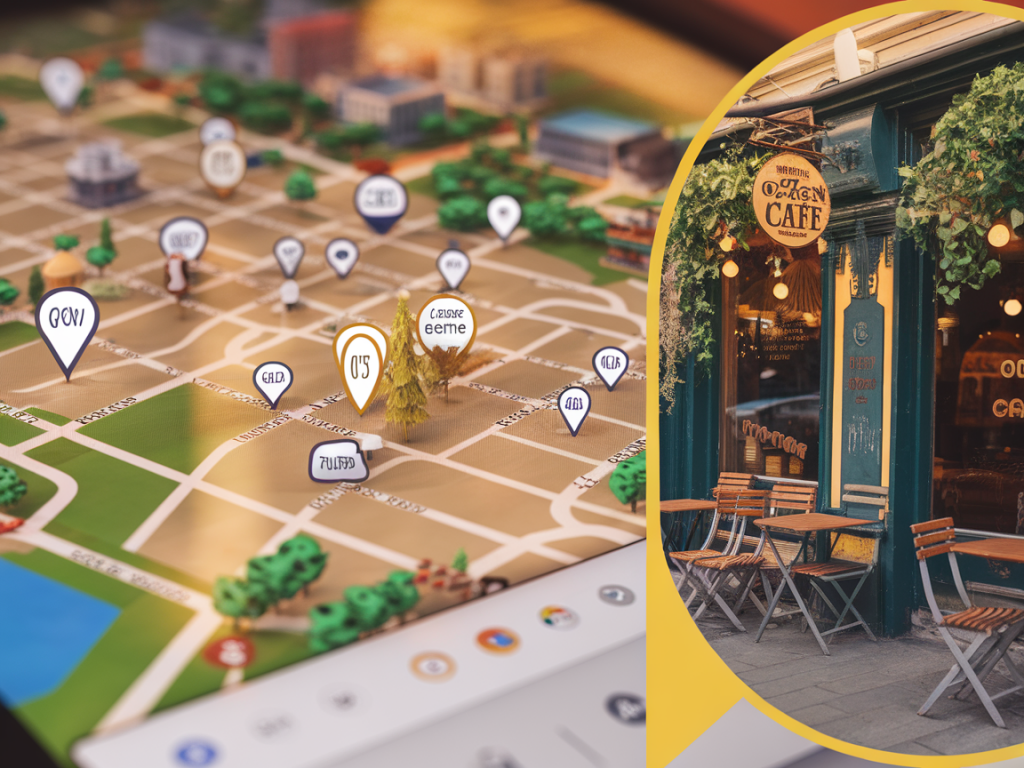
I’m always on the hunt for that tiny, tucked-away café with the perfect croissant, or an alley gallery that only locals seem to know about. Over the years I’ve turned Google Maps into my secret weapon for discovering those unexpected local gems — and I want to share the tricks I actually use every time I wander a new neighborhood. These aren’t just basic directions: they’re small hacks that help you think like a local and find places that don’t scream “tourist spot.”
Start with a playful search — but be specific
When I first open Maps, I rarely type the obvious. Instead of "coffee," I try variants that surface niche places: “third-wave coffee near me,” “hidden cafe,” “cozy cafe,” “roastery,” or even quirky combos like “patio coffee,” “bookshop cafe,” or “cat cafe.” The more specific your phrase, the more likely Maps will return independent spots instead of big chains.
Also try location-based queries: “cafe in [neighborhood name]” or “cafes near [park/landmark name]”. I’ll often add adjectives like “small,” “quiet,” “vintage,” or “rooftop” to nudge results away from cookie-cutter places.
Use the map view as a discovery tool — drag, zoom, repeat
One of my favorite habits: don’t just search and click the first result. Zoom out and pan across the map to explore clusters of pins. Drag the map around to refresh results for the exact area you want. The “search this area” button is gold — it reveals places that only appear when the viewport changes.
- Zoom in on side streets and alleys rather than main boulevards.
- Search around small parks and train stations — locals often open cafes near commuter hubs.
- When you find one interesting pin, check the surrounding pins; good neighborhoods tend to have more independent businesses nearby.
Read the micro-details: photos, reviews, and the less-obvious cues
Reviews are helpful but I pay attention to the tiny things: recent photos, what reviewers mention about seating, noise levels, and whether a place is family-run. I look for words like “quiet,” “cozy,” “hidden,” “long lines,” or “locals only.” Often the most telling bits are in the first 2–3 reviews.
Photos can make or break a decision: check both the latest images and the "interior" photos to see if the vibe matches what you're after. Street View is another must — I’ll virtually walk up to the storefront to make sure entrances look inviting (and not a locked alley door!).
Use filters and sort options like a pro
Google Maps offers built-in filters: “Open now,” “Top rated,” and “Price level.” I start with “Open now” when I’m hungry and pick “Top rated” if I want reliably good coffee. Price filters are handy for budgeting travel days.
On mobile, the “Explore” tab suggests trending spots and curated lists for neighborhoods. I use it when I’m short on time but want something unexpectedly delightful.
Create and share lists — your own local map
I maintain a few curated lists in Maps: “Brunch with a book,” “Hidden cafes,” and “Dessert adventures.” Whenever I spot a promising place, I save it to the relevant list. Later, I can filter saved places on the map and plan a route that stitches them together.
- Make lists public when you want to share with friends or followers.
- Collaborate on a list before a group day out — everyone adds their picks.
- Use custom labels like “great for laptops” or “tiny and quiet.”
Use Street View and Satellite to scout entrances and atmosphere
Street View is often the difference between a pleasant find and a dead end. It helps me check whether a café actually has an outdoor terrace, or if a supposedly “hidden” spot is tucked behind a construction wall. Satellite view also helps spot courtyard cafes, garden seating, and rooftop terraces that standard photos miss.
Tap into local intel: tips and photos from contributors
Maps aggregates input from Local Guides and visitors — these short tips often include the best items on a menu or the quietest times to visit. I follow a few local businesses and Local Guides whose taste aligns with mine. Their photos and tips are often the first place I’ll see a specialty pastry or a seasonal drink that doesn’t make it into broader review articles.
Try “search inside map” and hidden operators
When you want tighter control, use the “Search this area” box. Type things like “bakery near [address],” “bookshop cafe,” or “artisan chocolate near [neighborhood].” Google’s search accepts natural language pretty well, and sometimes you can nudge it with negative terms like “no chain” in the normal search bar to avoid big brands (results vary by region).
Create a custom map with Google My Maps
If I’m planning a day of discovery, I’ll build a custom map in Google My Maps. It lets you pin exact spots, add notes (like “try the lemon tart”), and order stops. I use different colored pins for categories — coffee, snacks, galleries — which turns a vague outing into a tiny adventure route.
Use offline maps and Live View when wandering
When I’m exploring neighborhoods with patchy data or want to stay off roaming, I download offline areas. Offline Maps save your pins and photos and still let you navigate between saved spots. For walking, Google’s Live View (AR walking directions) is unbeatable — it overlays arrows and directions on your phone camera so you don’t turn down the wrong alley.
Leverage time-based tools: Popular Times and “Quiet” hours
Want to visit a hip cafe without fighting a line? I always check "Popular times" and the “busyness” graphs. Some pages even show when the place is quietest. If a spot has a morning lull, that’s my go-to time for sinking into a book with a coffee.
Engage with the community: leave tips, add photos, and ask questions
I add my own photos and short tips after impactful visits. It helps others and ensures the place gets discovered by people who’ll appreciate it. If I’m unsure about something — a menu item or parking — I’ll often message the business directly through Maps to ask. Local owners usually reply and their responses are gold.
Pro tips I swear by
- Search by cuisine + vibe: “Mediterranean cafe cozy” often surfaces family-owned places.
- Use filters thoughtfully: “Open now” + “Top rated” narrows good options fast.
- Check recent photos first: they tell you current decor and menu items.
- Make and share lists: they become your personal map of discoveries.
- Download offline areas: for roaming without relying on mobile data.
- My Maps for itineraries: color-code and add notes for a perfect day out.
There’s something joyful about discovering a small coffee shop that hasn’t been snapped by every influencer yet — a place with a handwritten menu, mismatched chairs, and a barista who remembers your name. Google Maps won’t conjure magic on its own, but used creatively it feels like having a local friend whispering the best-kept secrets in your ear. Happy exploring — and if you find something brilliant, save it and drop it into a list. I’d love to see where your next detour takes you.